Connect.AI · Class 01

You're going to learn how to work with AIwith business

to navigate
What you'll learn

Connect.AI Skill Map.

Connect.AIConnect.AI
AI Engineering
Consulting
Building and deploying AI applications
Software engineering fundamentals
Using coding agents
Shaping the build
Scoping Assessment
Training and enablement
Professional Communication
Fourteen weeks

How the semester runs.

Weeks 01–04

AI Engineering

How models actually work, how to build with agents, and how to ship something that runs.

Ends withYou present an app you built.
Weeks 05–08

Consulting

Scoping a problem, talking to a business, and writing down what you are actually going to do.

Ends withA case-study exam.
Weeks 09–12

The engagement

In the field with your partner business, start to finish.

ScopingBuildingTraining
Ends withYou present the build.
Weeks 13–14

Buffer

Two weeks held back on purpose — Thanksgiving falls in the first of them.

Ends withWhatever the semester needs.

It’s going to be an App that you create

September October November December
1 Sep · week 01 begins15 Dec · semester ends
What does that mean

A real-world example.

Microsoft Outlook

Everyone open up your
Outlook email.

Inbox
Connect.AIYour Connect.AI loginHi — sign in with the credentials below…
UConn ITWelcome to the networkYour NetID is active…
RegistrarFall schedule postedYour courses for the term…
Your Connect.AI login
Connect.AI <hello@connect-ai.world>
Connect.AI
Student platform
Your login is ready.
Emailnetid@uconn.edu
Temp passwordKx7m-Qp2v-R9tb
Sign in
Setting up

Three screens and you’re in.

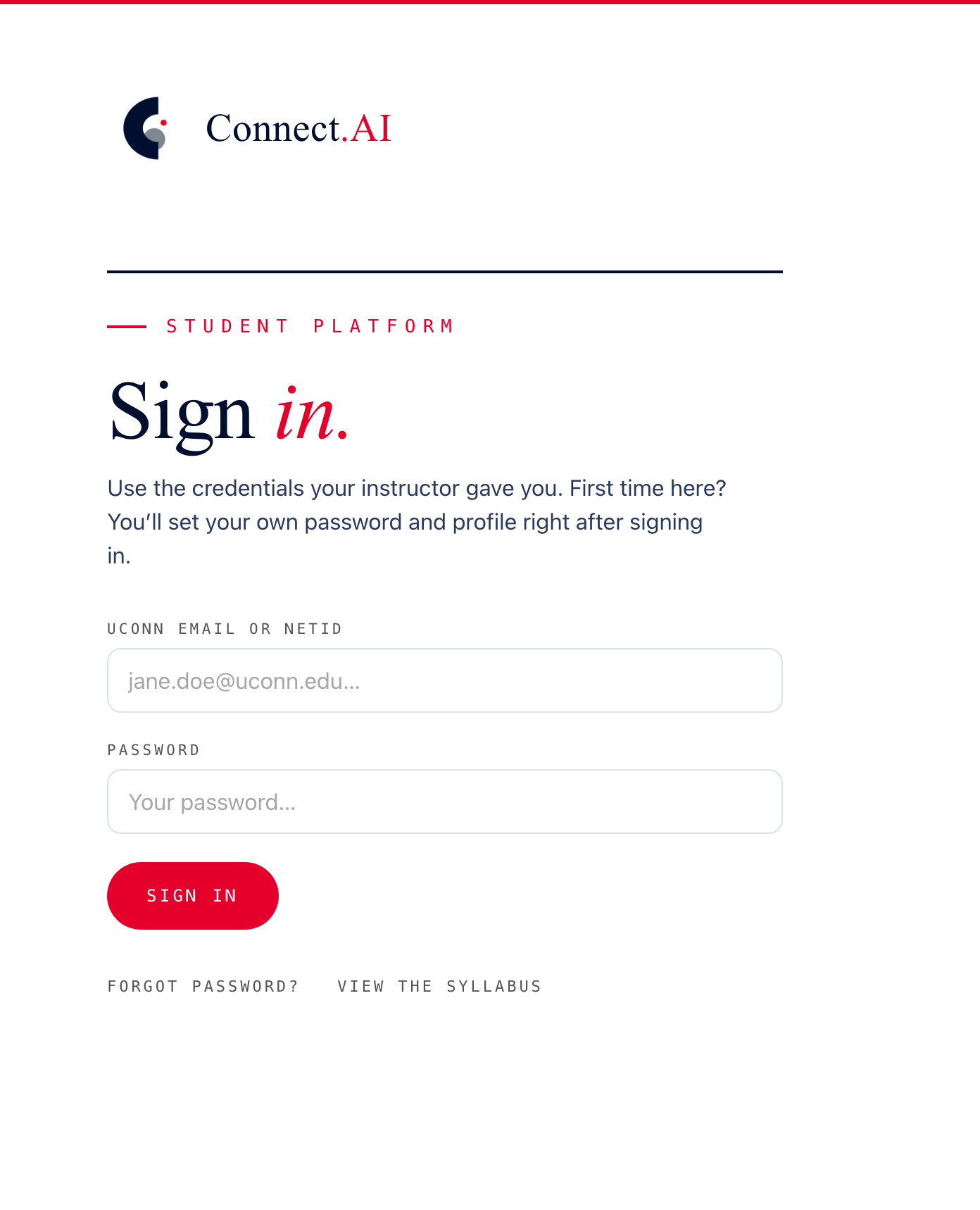
The Connect.AI sign-in page: UConn email or NetID, password, and a Sign in button
01 · Sign in

Your UConn address, and the temporary password from that email.
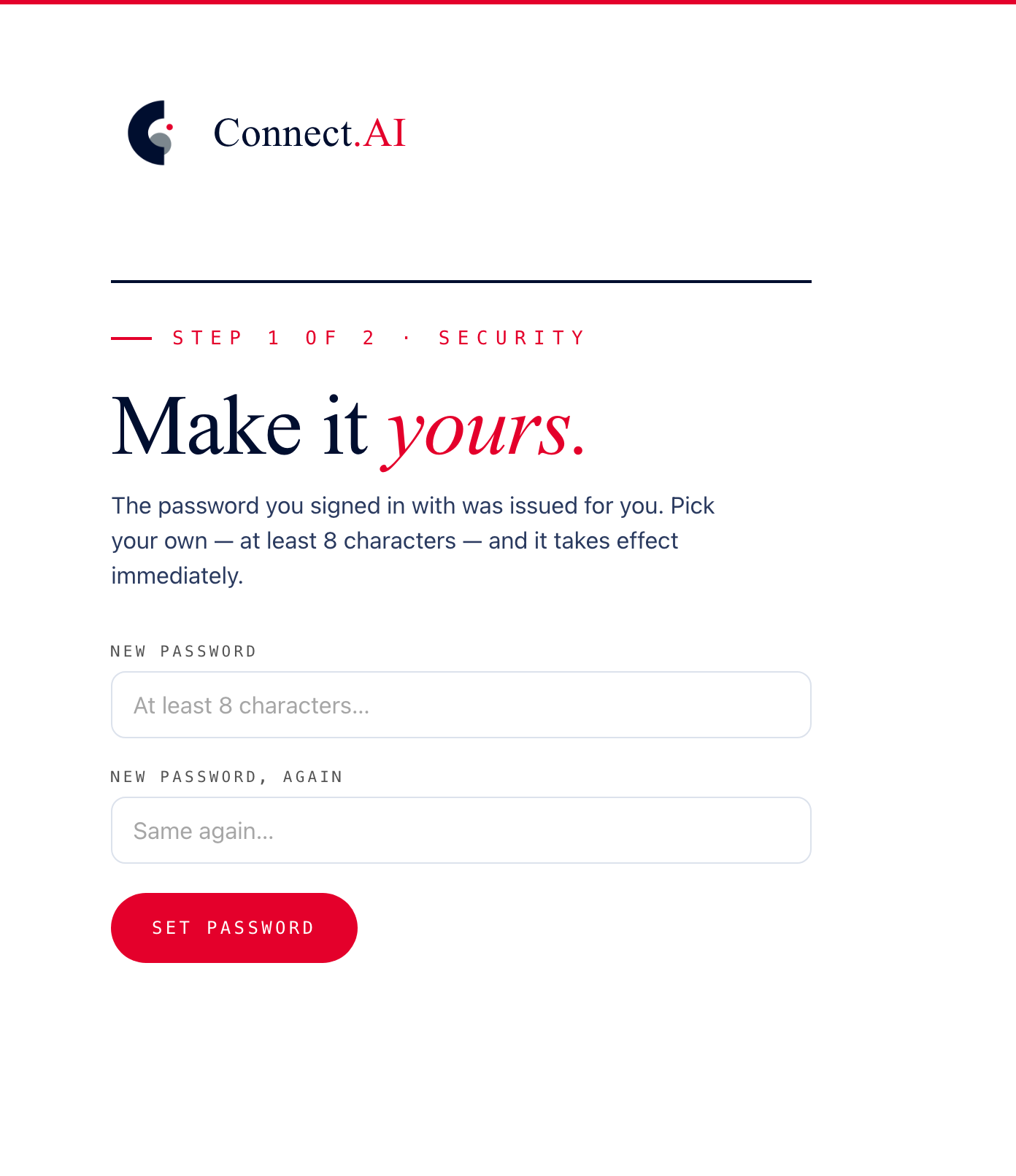
Step 1 of 2, Security: set a new password twice, then Set password
02 · Set your password

Replace the one you were issued. Eight characters minimum.
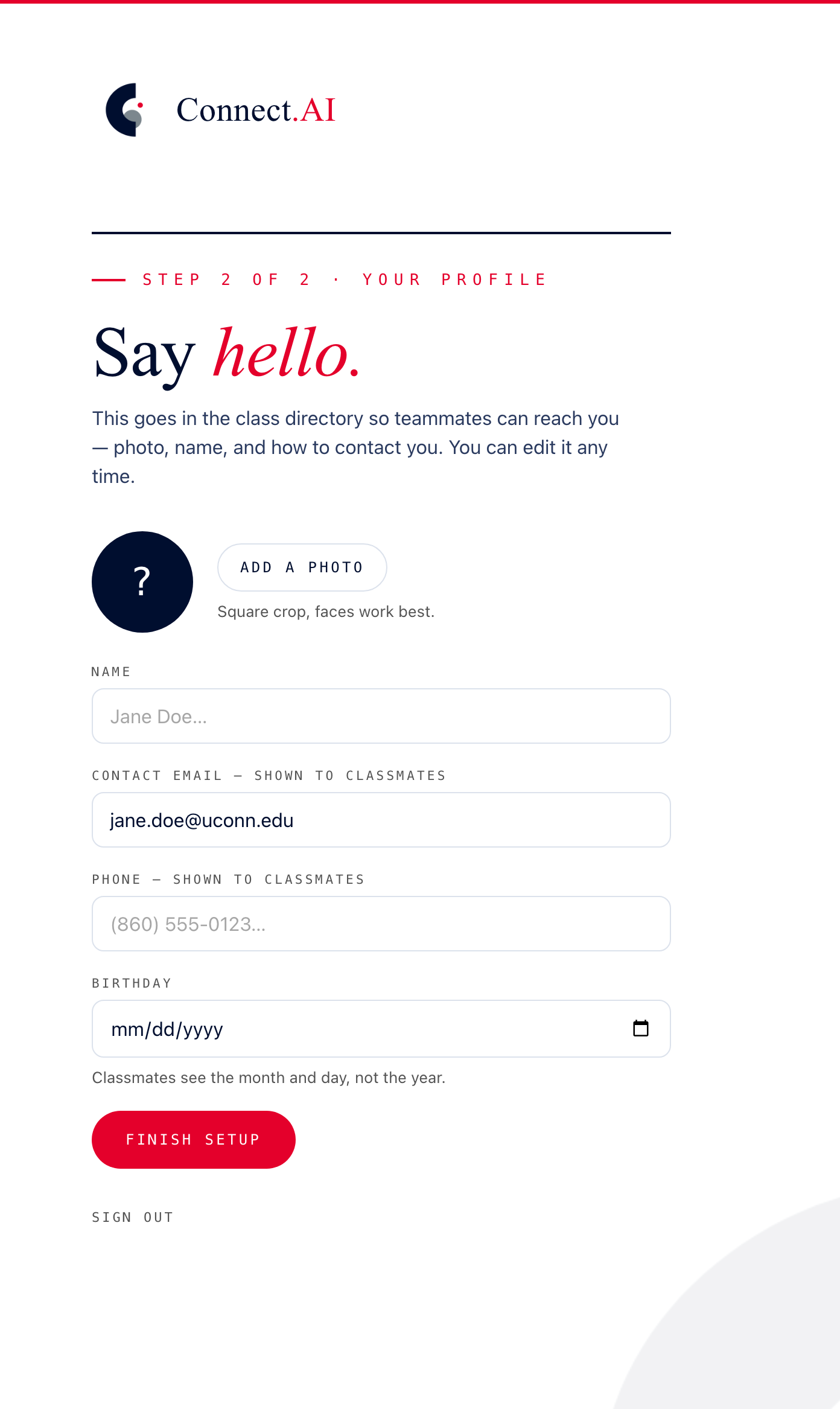
Step 2 of 2, Your profile: photo, name, contact email, phone and birthday, then Finish setup
03 · Your profile

Photo, name, contact details. This is your directory entry.

Once you are in

The Connect.AI Network.

Everyone in the program, with a direct line to each of them — email, phone, and a message button. Your own card is whatever you just filled in.
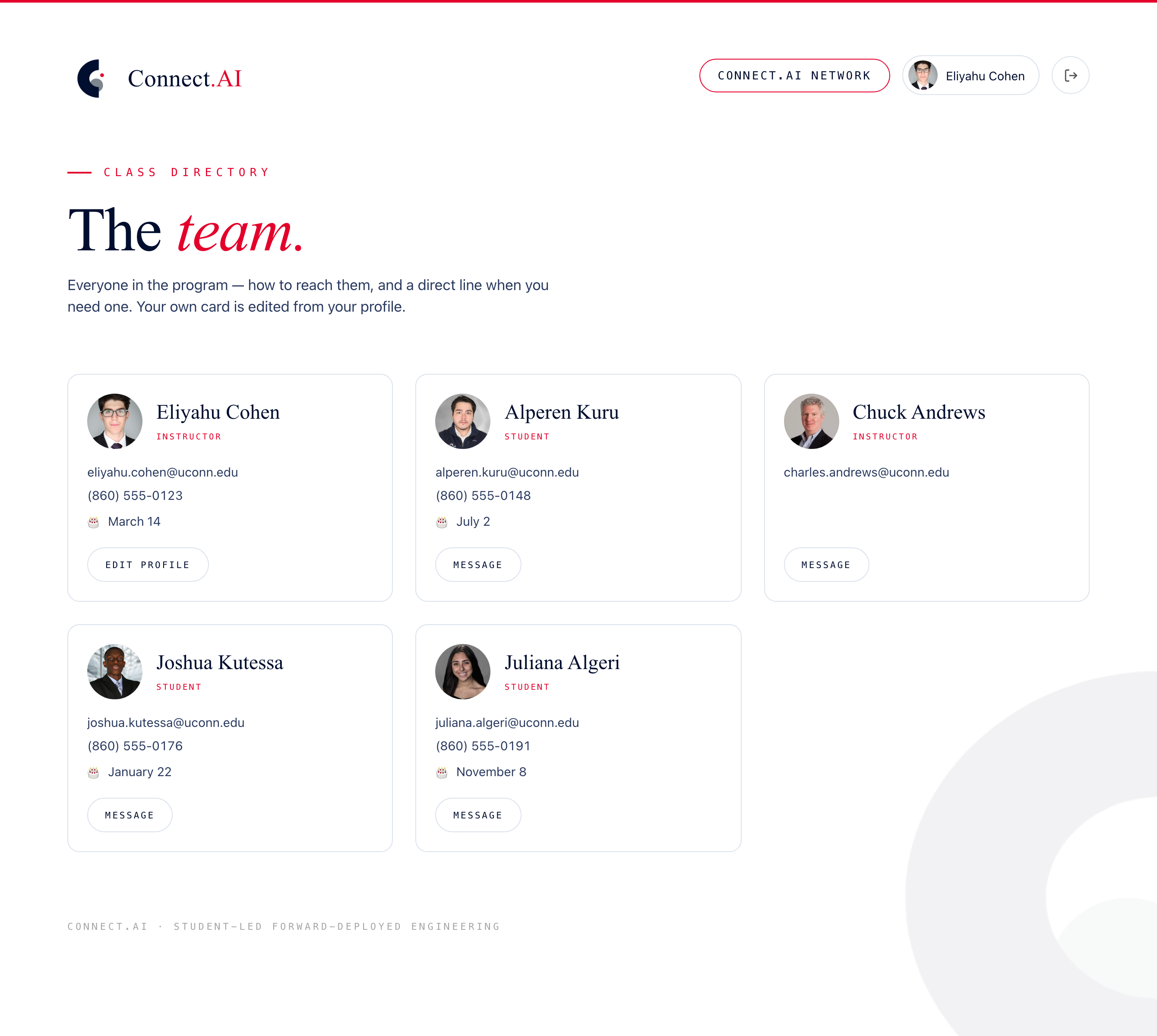
The Connect.AI Network page: a class directory of cards, each with a photo, name, role, email, phone, birthday and a message button
One more thing

We built an MCP.

A standard connection between an AI assistant and a system — its data, its documents, what it can do. Ours is read-only.

Claude ChatGPT
An AI assistant
MCP
Its data
Its documents
Its actions
Any system you already use
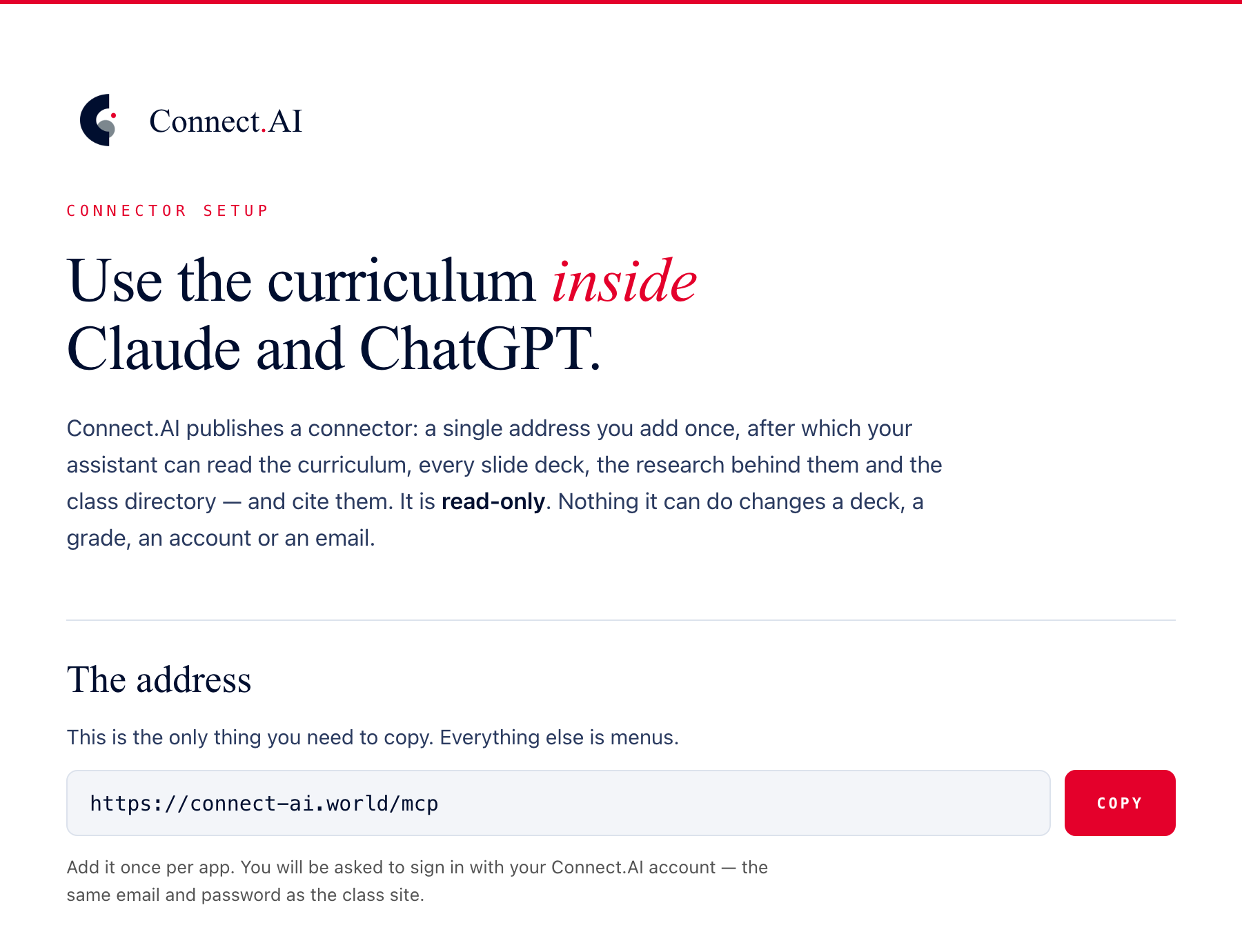
The Connect.AI connector page: “Use the curriculum inside Claude and ChatGPT”, the read-only description, and the connector address https://connect-ai.world/mcp beside a Copy button
connect-ai.world/connect
Finding a lecture

Where the lectures live.

Every session’s deck gets uploaded here as the semester runs — and the same material is accessible through the MCP.
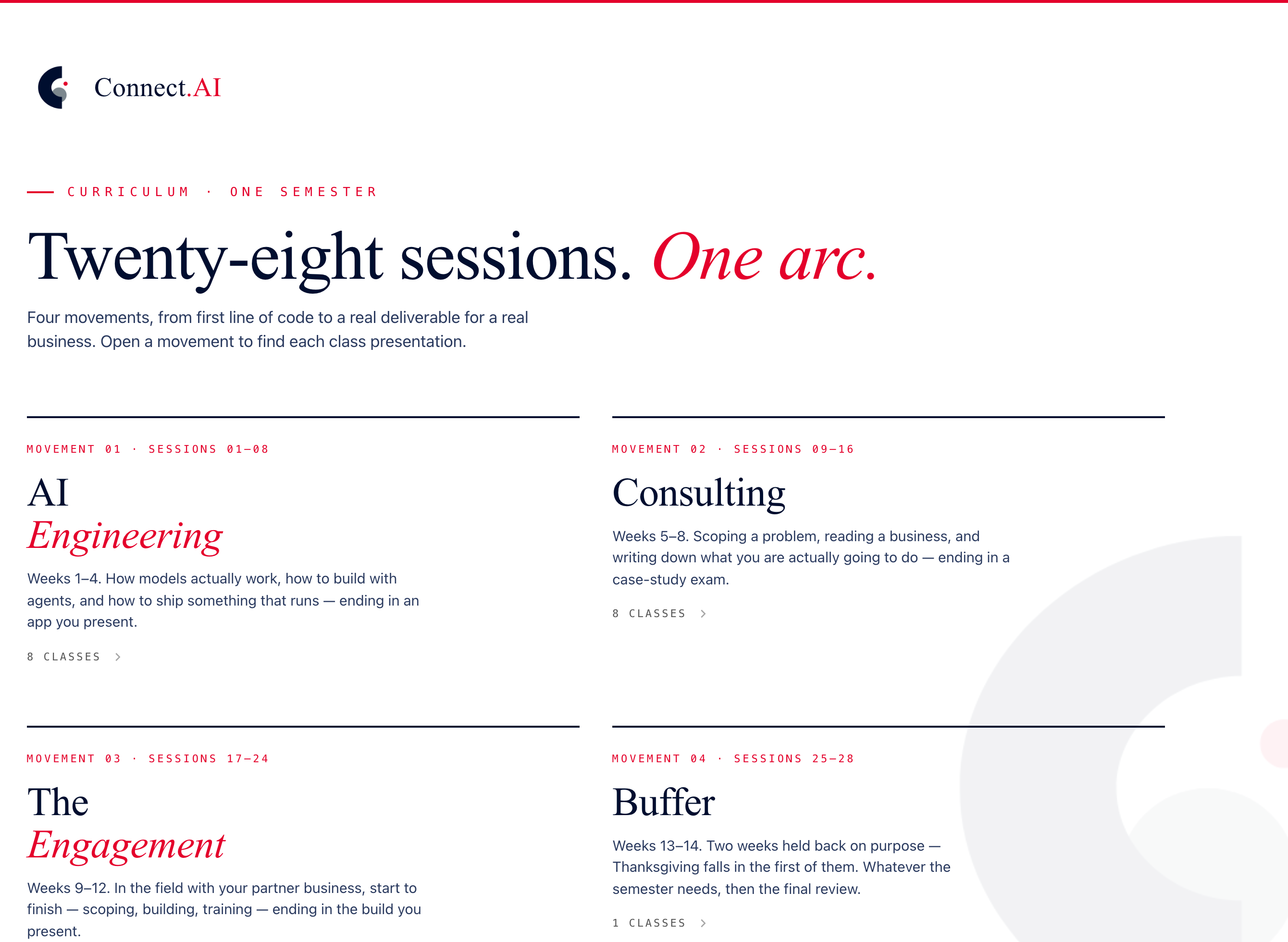
The Connect.AI dashboard: “Twenty-eight sessions. One arc.” over four movement tiles
01 · The dashboard

Four movements. Open the one your session is in.
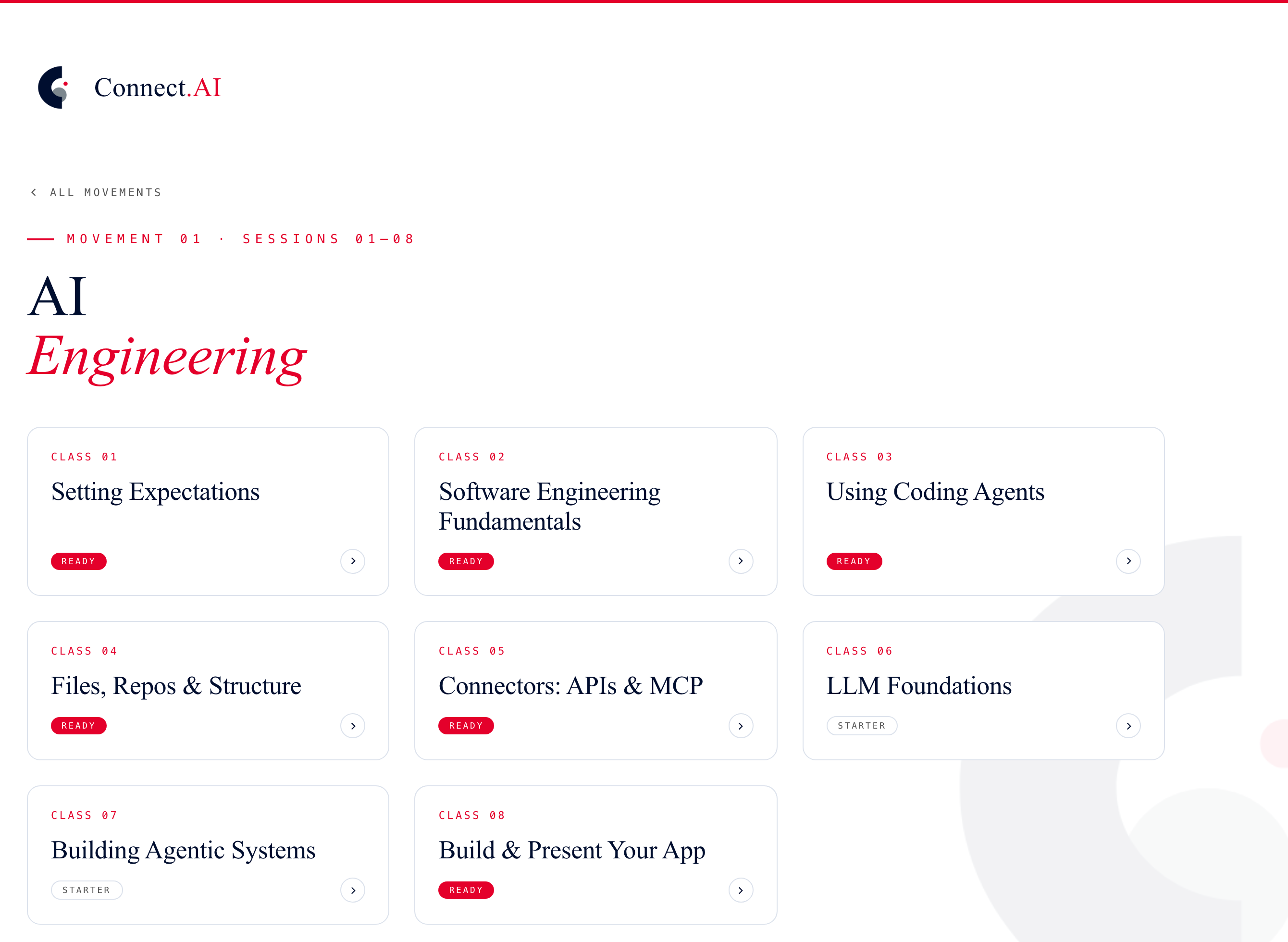
Movement 01, AI Engineering: a tile per session, each with a Ready or Starter badge
02 · The movement

Every session in it, with a Ready badge once the deck is up.
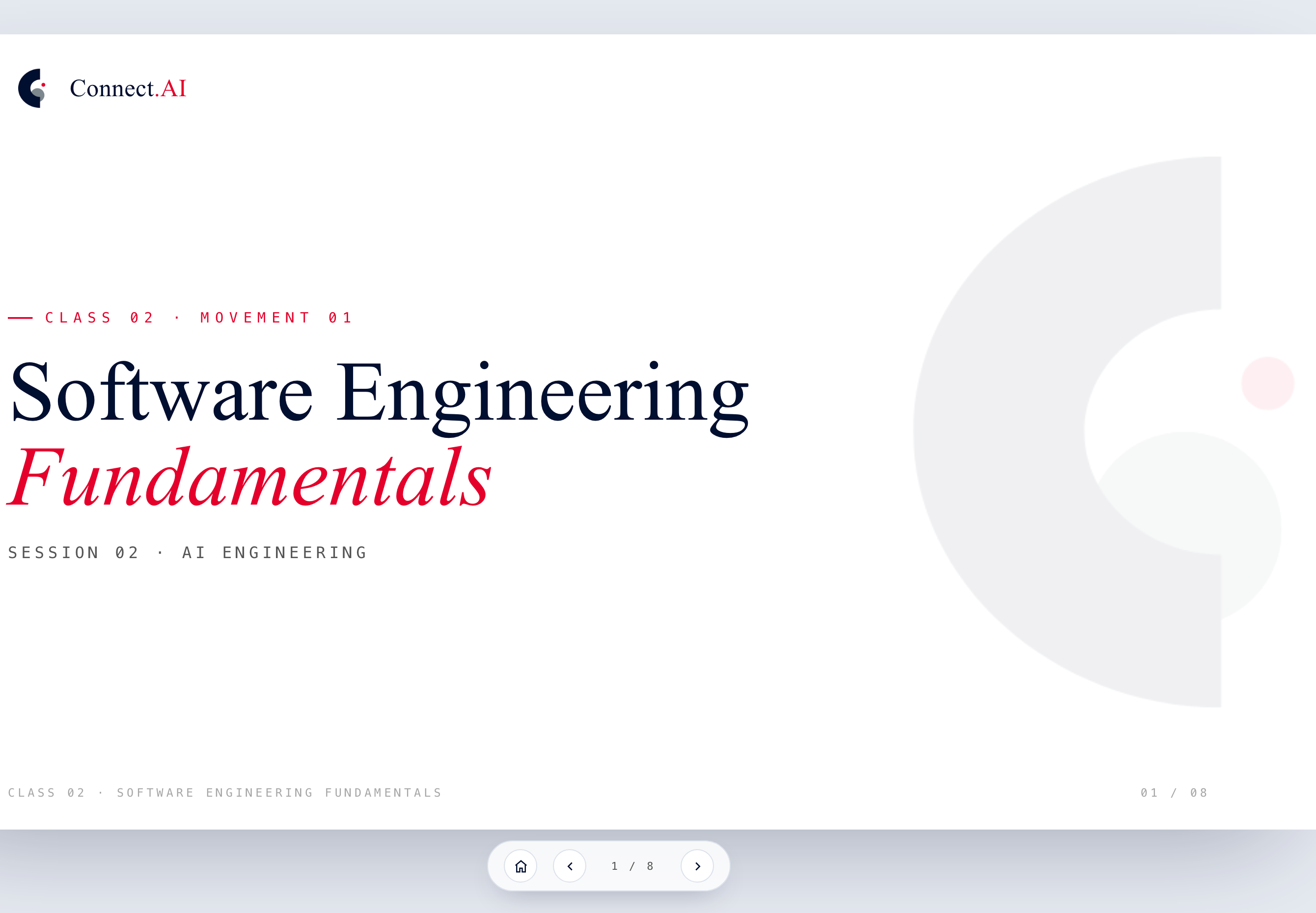
The cover of the Class 02 deck, Software Engineering Fundamentals, with the slide counter and navigation
03 · The lecture

Its own page, start to finish. Arrow keys, or swipe on a phone.

On your phone

Put it on your home screen.

Open connect-ai.world in Safari, tap Share, then Add to Home Screen — it opens full-screen, like an app.
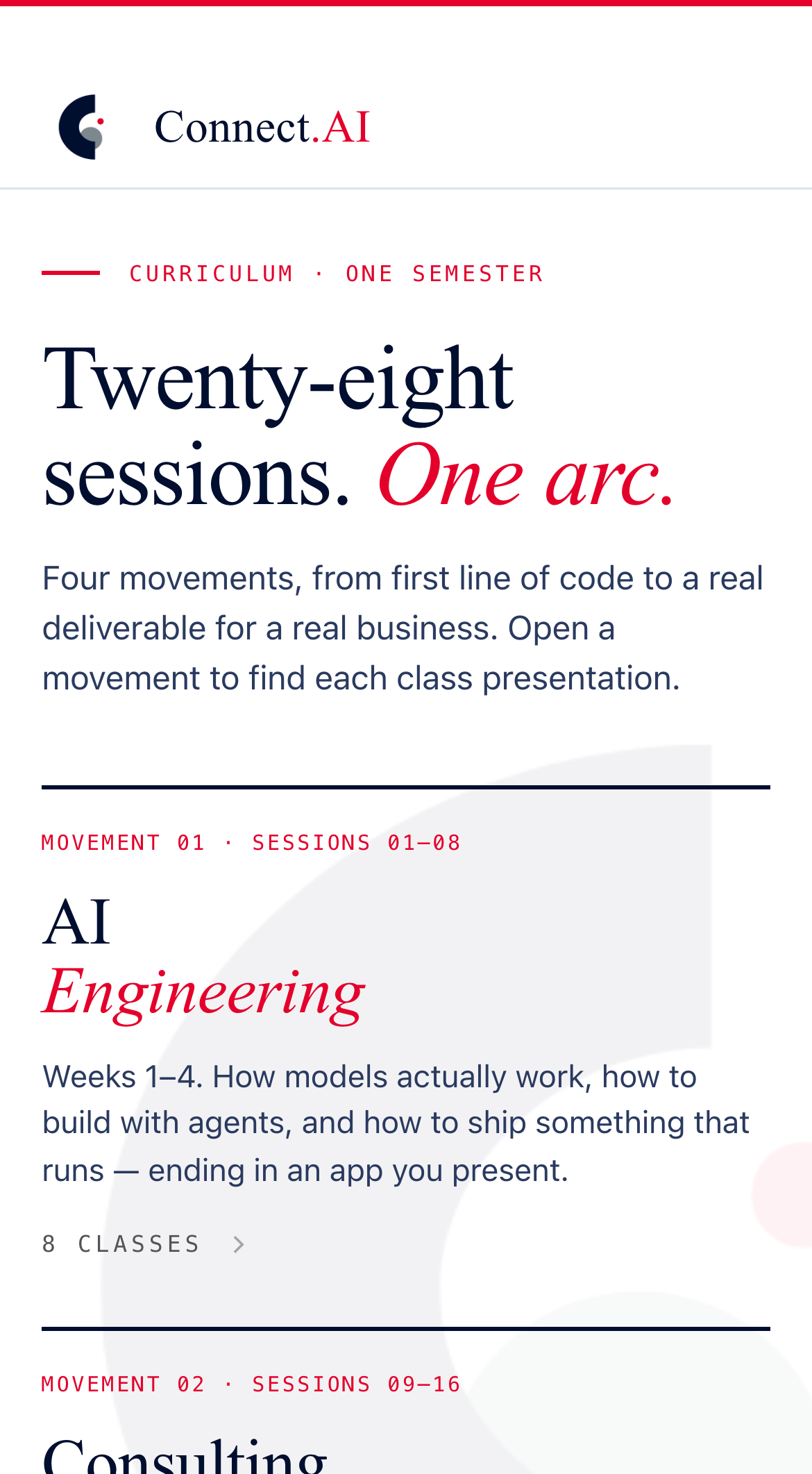
9:41●●●●
The Connect.AI dashboard on an iPhone: the brand bar, “Twenty-eight sessions. One arc.” and the first movement
connect-ai.world
01 · Tap Share

The square with the arrow, in Safari’s bottom bar.

9:41●●●●
Connect.AIconnect-ai.world
Add to Bookmarks
Add to Favourites
Add to Home Screen
Find on Page
02 · Add to Home Screen

Scroll the sheet if you don’t see it, then tap Add.

9:41●●●●
 
 
The Connect.AI app icon on the iPhone home screen
Connect.AI


03 · It’s an app now

One tap to the decks, the Network and your messages.

Connect.AI Skill Map · AI Engineering

Building and deploying AI applications.

Building and deploying AI applications
LLM foundations
Grounding models with data
Building agentic systems
Evaluation-driven development
Machine learning foundations

LLM foundations

How a model tokenizes what you give it and generates what comes back — and therefore when you can count on it, and when it will fail.

Input
Write me a line of code to say hello world
Tokens in
Writemealineofcodetosayhelloworld
Model
Tokens out
System.out.println("Hello,World!");
Output · Java
System.out.println( "Hello, World!");

Grounding models with data

A model only knows what is put in front of it. Grounding puts the business’s own facts there — the company Palantir built.
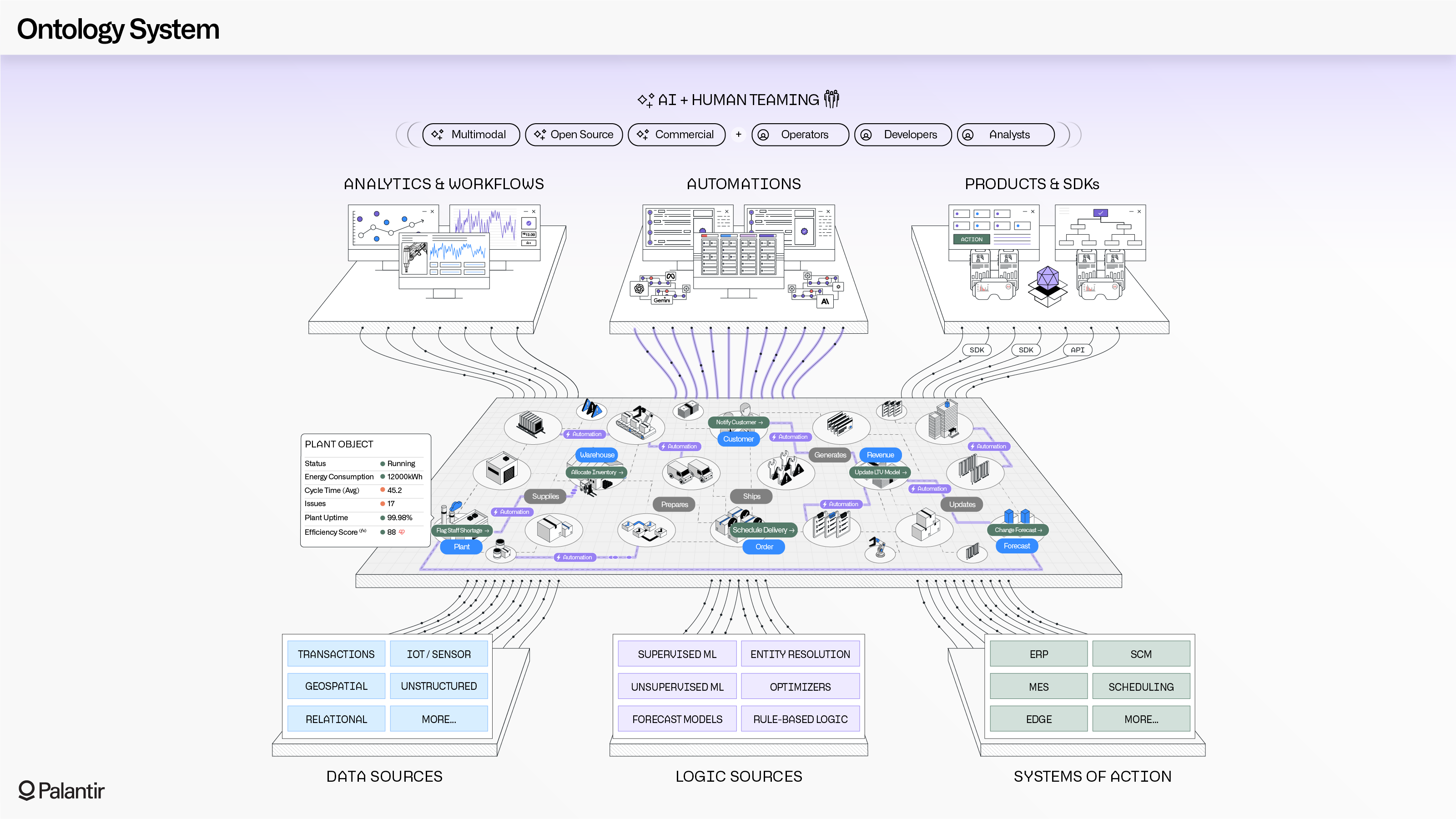
Palantir's Ontology System diagram: data sources, logic sources and systems of action feeding a layer of business objects, which drives analytics, automations and products

Building agentic systems

When one call is not enough. Everything that actually works is three layers — the loop on top, and what holds it up.

01

The agentic loop

What the model does on its own, between your ask and the answer.

PlanActObserveRepeatDeliver
02

Context & knowledge

What it holds while it works — and what it goes and looks up.

Context windowWorking memoryRetrievalThe business’s documentsCompaction
03

Connectors

How it reaches the real world — the tools it is actually allowed to call.

MCPCLISandbox environmentAPIsFiles

Evaluation-driven development

You cannot ship what you cannot measure — and this system will not give the same answer twice. Two loops, and one calibrates the other.

Run the cases A person reads it Judgement & notes Change one thing Human
in the loop

Slow and expensive — and the thing every other eval gets calibrated against.

Run the cases A model grades it Score against a rubric Change one thing Agent
evaluations

Cheap enough to run on every single change — once the human loop has calibrated it.

Machine learning foundations

Enough of the underlying machinery to reason about a model instead of guessing at it.

01

Training vs inference

What was learned once, and what is being computed every request.

02

Data & features

Models inherit whatever is in the data — including its gaps.

03

Generalisation

Why something can be right on your examples and wrong in the field.

04

Metrics

What the numbers actually measure, and what they quietly leave out.

Session 02 · Before you build

Set up your environment once. Then forget it.

Global downloads

Node.js · Git · Homebrew

The base layer every build runs on. Installed once on your machine (Winget on Windows).

Accounts

Claude Pro · Supabase · Netlify · Miro

Your logins for AI, the database, hosting, and planning — the four services you'll live in.

Tools

Antigravity · Claude Code · Wispr

Where you actually write and ship — an AI-native IDE, an agentic CLI, and voice-to-code.

Session 03 · The environment

Antigravity — your cockpit.

Editor + Agent

Write code yourself, or hand a task to an agent that writes and edits for you.

Terminal

Where commands run — npm, git, and the Claude Code CLI.

Commands

/clear · /context · Plan mode · Skip permissions — how you steer the agent.

Power-ups

MCP servers, reusable Skills, and custom Agents extend what you can do.

Session 03 · The environment

Supabase — your backend in a box.

Tables

Where your data lives — a real Postgres database, no server to manage.

Row-Level Security

Rules that decide who can see which rows — each business sees theirs, not everyone's.

Auth

Logins, passwords, and OAuth — sign-in handled for you.

Migrations

SQL files that shape and version the schema as the build grows.

How we got here

The story of Connect.AI.

  1. 01Eliyahu starts a business consulting for financial services firms.
  2. 02Conversations with UConn administrators — Dean Greg Riley — turn it into a real thing.
  3. 03The university accredits it.
  4. 04Connect.AI gets built.
  5. 0580 applications come in.
  6. 06We interview 40. We let in 20.
  7. 07A deal with the CTSBDC brings in two businesses — and we are not limited to theirs.
  8. 08Here we are today, doing the actual thing.
80 APPLICATIONS 40 INTERVIEWED 20 ADMITTED · YOU PARTNER BUSINESSES Two via the CTSBDC AND NOT LIMITED TO THEM
The deal

What we expect, in plain terms.

Show up

You move as a group of six, rotating through the partner businesses together.

Present

You'll pitch your work and exchange ideas at cohort town halls.

Hit deadlines

A real business is on the other end of every one.

Act professional

You represent UConn and Connect.AI to a business that trusts you.

Class 01 · Complete
Let's begin.
Next class — What Is Software Development?
Movement 01
AI
Engineering
Sessions 01–08 · Weeks 1–4 · ends with an app you present
Session 03 · The mental model

Every app you'll build has three parts.

Frontend

What the user sees

The interface — buttons, forms, dashboards, and views people actually touch.

HTML · CSS · React / Next.js · Tailwind
APIs & MCPs

How the parts talk

The bridge between your app and the outside world — data in, actions out.

API keys · MCP servers · Webhooks
Backend

The engine behind it

Where data lives and logic runs — storage, auth, automations, and AI.

Supabase / Postgres · Auth · Python
Session 04 · Know your files

Every file has one job.

Config
.env.local

API keys & secrets. Never committed.

AI
CLAUDE.md

Project-level instructions for the AI.

AI
SKILL.md

Reusable skills your agents can call.

Backend
.sql

Database schema, queries & migrations.

Backend
.py

Python automation & data scripts.

Frontend
.tsx

React components — your UI building blocks.

Frontend
.html / .css

Markup and styling for the page.

Docs
.md

READMEs and documentation.

Session 05 · Connecting to the world

APIs vs MCPs.

Through APIs

You build each connection

  • Manage your own API keys
  • Make HTTP requests to endpoints
  • Handle the response yourself
  • Full control, more plumbing
Through MCPs

Plug-and-play tools

  • Inherited via an MCP server
  • No key juggling per service
  • Gmail, Calendar, Stripe, Slack…
  • Faster to wire up
APIs = you build & manage each connection.  MCPs = plug-and-play via a server protocol.
Session 06 · From idea to shipped

Map the build before you write a line.

Step 01

Discovery

Understand the problem and the goal.

Step 02

Map Stack

Choose frontend, backend, APIs vs MCPs.

Step 03

Architecture

Design data flow, auth, integrations.

Step 04

Build

Code, test, iterate with Claude Code.

Step 05

Deploy

Ship to Netlify, hand off to the business.

Movement 02
Consulting
Sessions 09–16 · Weeks 5–8 · ends with a case-study exam
Sessions 07–09 · Ship it

Present, build, and ship your first site.

Cohort town hall presentation

Town Hall

Session 07

Present your plan, exchange ideas, and pressure-test your build with the cohort.
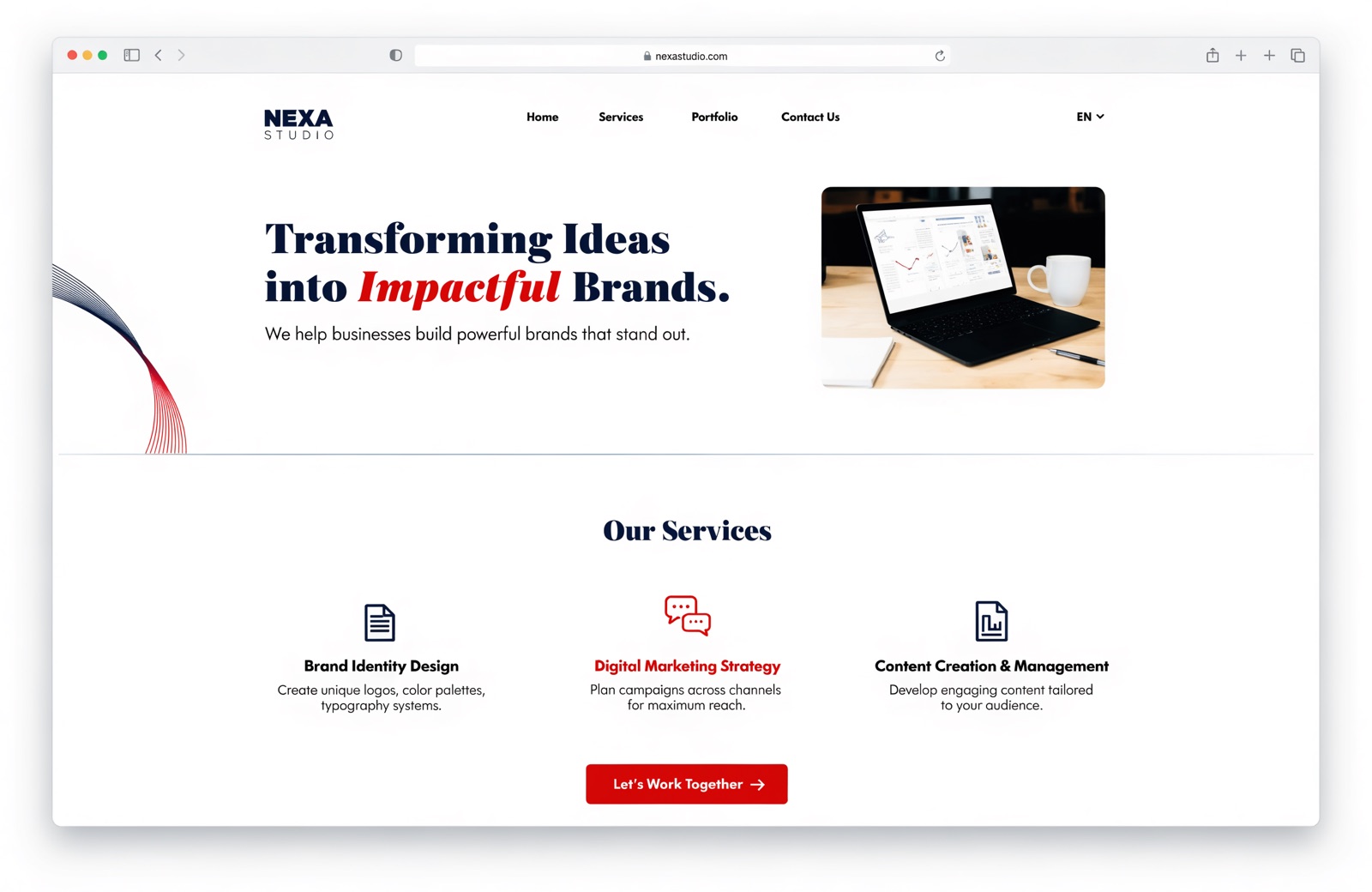
A shipped small-business website

Build & Submit

Sessions 08–09

Show progress, submit your live site, then start applying the skills to real business work.

Movement 03
The
Engagement
Sessions 17–24 · Weeks 9–12 · ends with the build you present
Session 10 · The engineer's eye

Find the problem worth solving.

Listen

Discovery interviews surface the real pain — not the one they lead with.

Diagnose

Trace symptoms back to a root cause before you build anything.

Scope

Know what's an AI-shaped problem — and, just as important, what isn't.

Session 11 · Business-ready

Talk like a partner, not a coder.

Translate

Plain language, not jargon. The business should understand every word.

Set expectations

Be explicit about scope, timeline, and what "done" actually means.

Represent

You're UConn and Connect.AI to this business — carry yourself like it.

Session 12 · The method

Three moves, every project.

01

Map

Understand the problem, choose the stack, and design the flow before building.

02

Build

Code, test, and iterate with Claude Code until it works for real.

03

Implement

Deploy, document, and hand it off so the business can run it alone.

Sessions 13–15 · Close & deliver

Scope the work. Own the delivery.

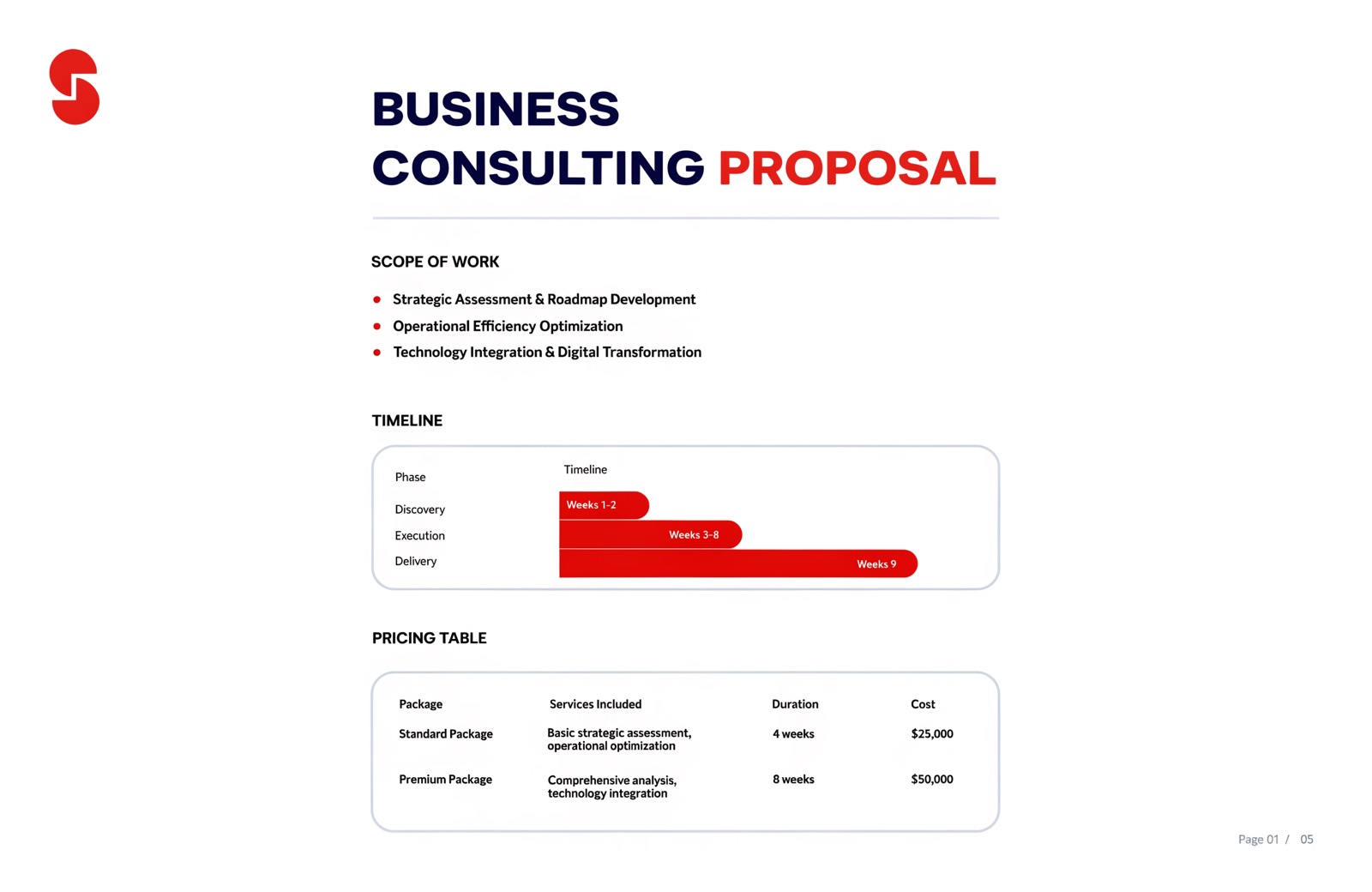
A project scope document

The Scope

Sessions 13–14

Scope the work, frame the value, and use Plan mode to map the build before you commit.

Delivery and business training

The Delivery

Session 15

Transition ownership — the accounts, the docs, and the training so the business runs it solo.

Session 16 · Rotation Day

Meet the businesses.

The partner businesses join. Your group rotates in to embed with a real Connecticut business — and from here, everything you build is for them.

Rotation Day kickoff
Movement 04
Buffer
Sessions 25–28 · Weeks 13–14 · held back on purpose
Sessions 17–28 · Audit, spec, or build

Twelve sessions. One real deliverable.

17–19

Map & Approve

Scope with the business and lock the plan.

20–22

Build & Re-organize

Sprint the build; adjust as reality lands.

23–25

Finalize & Implement

Test, document, and set it up in their accounts.

26–28

Review & Present

Business feedback, final presentation, and grade.

One semester
This is Connect.AI.
You'll leave with a portfolio, real field experience, and proof you can build.
Connect.AI logoConnect.AI
Class 01 · Setting Expectations01 / 30